Real projects · real photography · South Tyrol

Our projects: systems and equipment in detail.

Roof layouts, installation, electrical connections and heat recovery: these photographs show real systems and stages of the work. Each description explains the visible details and what they mean when planning your project.

28 photographs · 4 topics

12 Photographs

Rooftop systems and module layouts

The roof photographs show how module arrays are arranged across the available surfaces. Chimneys, roof windows, changes in the roof shape and neighbouring buildings affect the layout. Several viewpoints make these details easier to understand; the system size required for each building is assessed from its roof and electricity consumption.
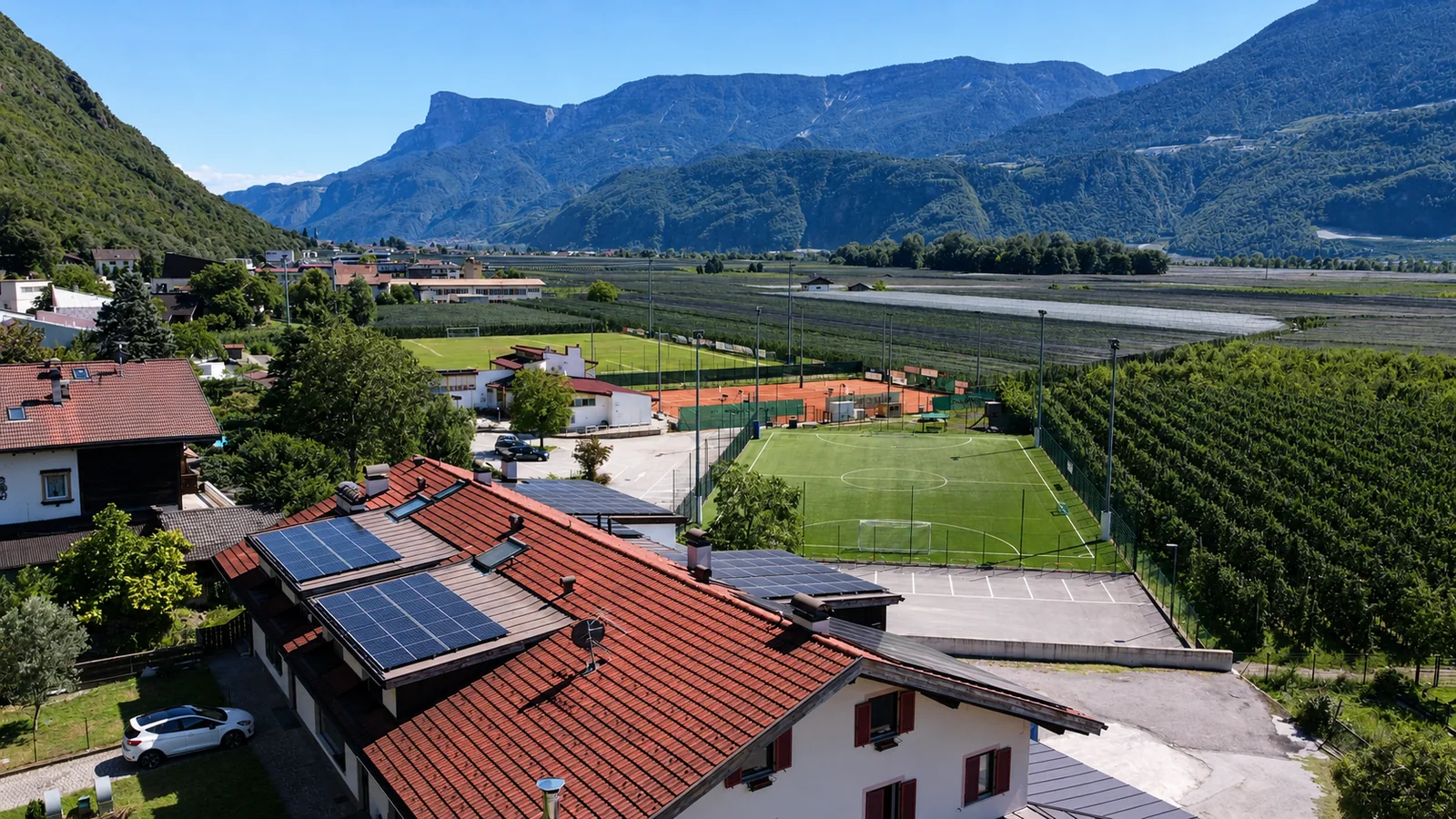
Drone view of a red tiled roof with several PV arrays, sports grounds, orchards and mountains in the background
Photo 01Aerial view of a tiled roof and its surroundingsThe wide aerial view shows several module arrays on a red roof divided into different sections. Sports grounds, rows of trees and mountains lie in the background. This view explains the position of the roof surfaces and their surroundings; the closer photograph shows the module layout in detail.
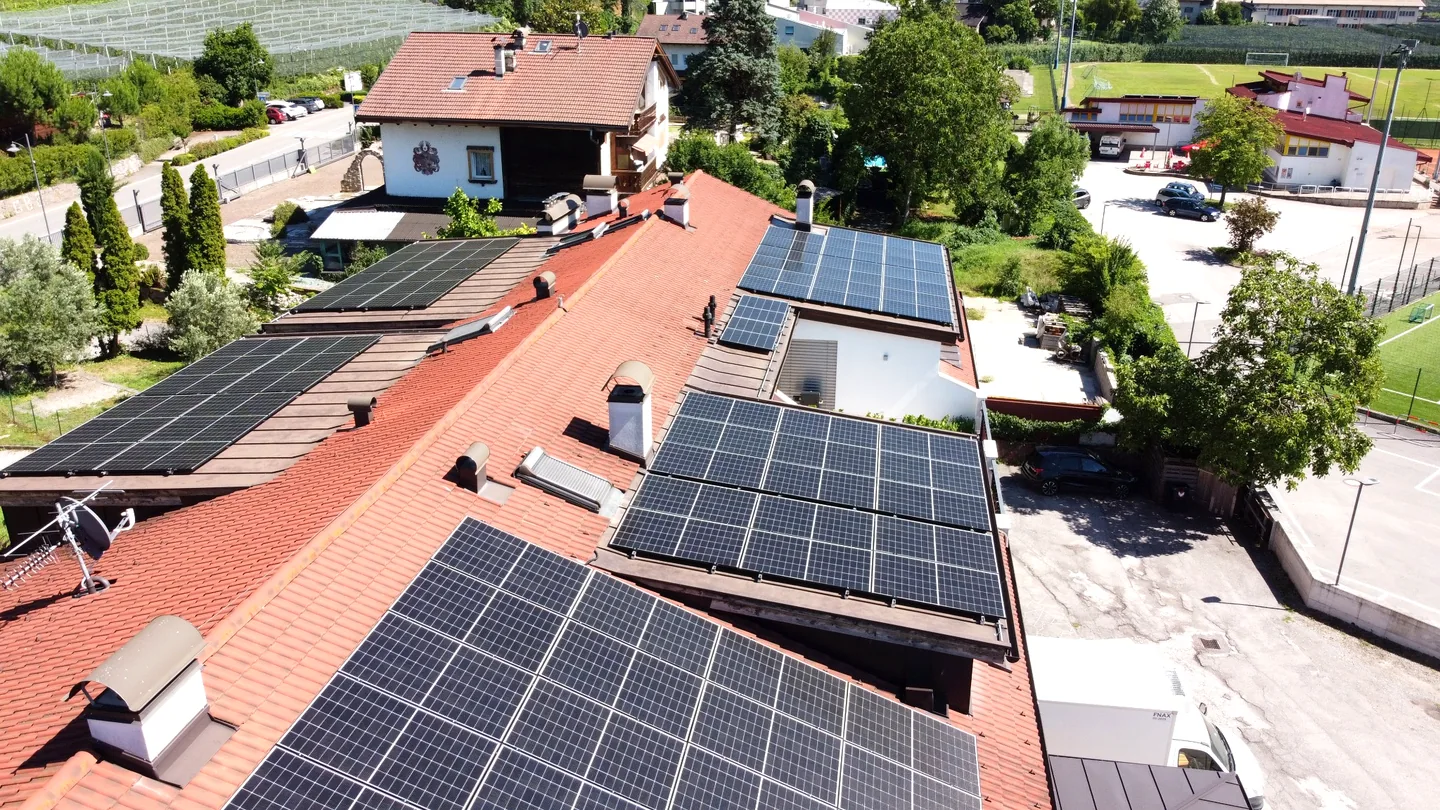
Wide oblique drone view of a red roof with several PV arrays, chimneys and a roof section at a different level
Photo 17Red roof with several separate module arraysThe aerial photograph shows several separate module arrays on a segmented red roof. Chimneys and roof sections at different levels affect their shape and position. Compared with the close-up, this view shows their distribution across the whole visible roof more clearly.
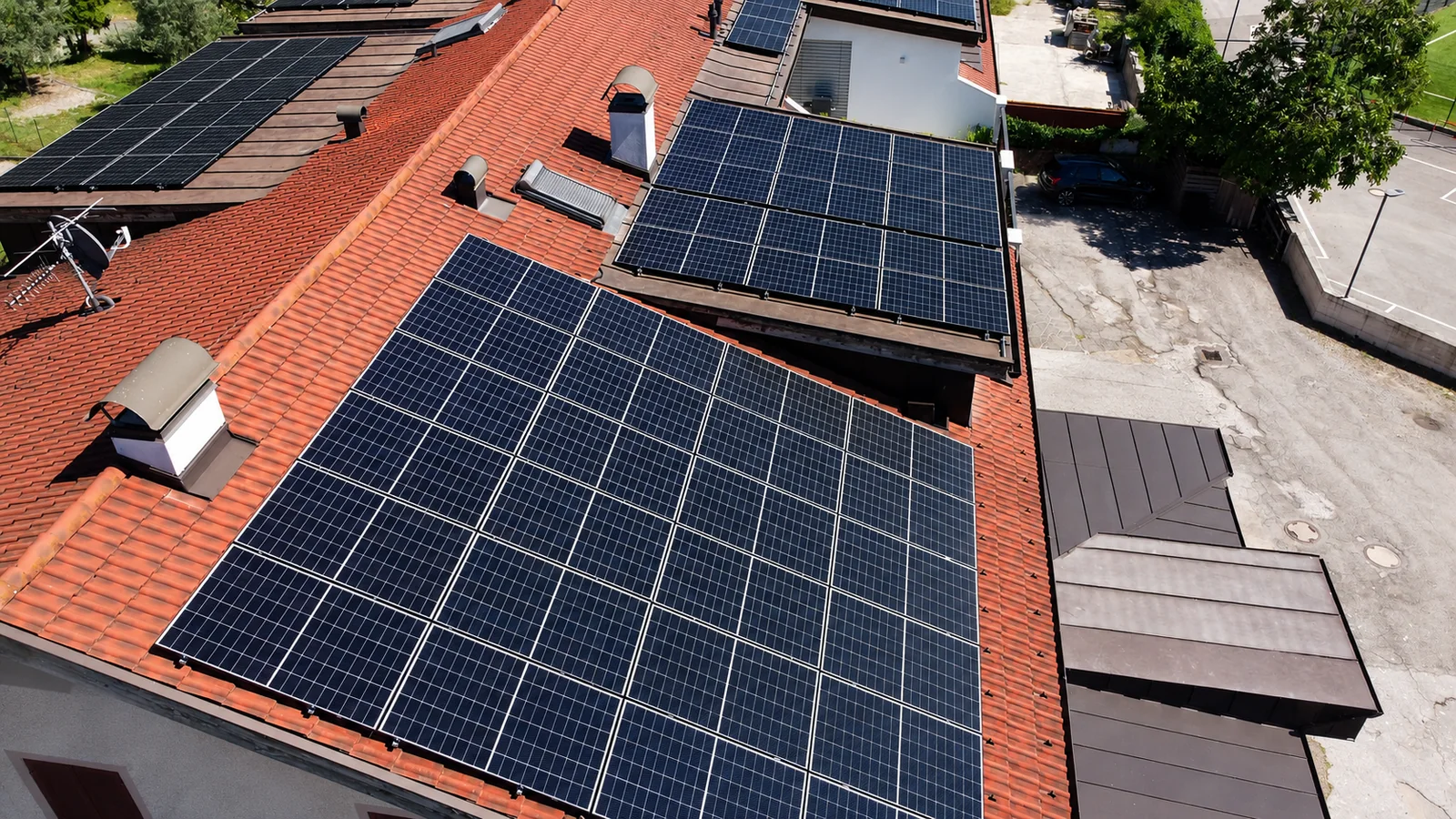
Close oblique view of several PV arrays on red roof tiles between chimneys and roof sections at different levels
Photo 02Module arrays across a segmented tiled roofSeveral rectangular module arrays are arranged across red roof sections at different levels. Chimneys and changes in height lie between the arrays. The photograph shows why layouts are planned section by section, taking existing roof features into account.
Another oblique aerial view of PV arrays on a red tiled roof with chimneys and roof sections at different levels
Photo 18Another view of the layout on red roof surfacesThis additional viewpoint shows the rectangular module arrays, red tiles and roof features from another angle. It complements the overview by revealing the array edges and changes in height between roof sections.
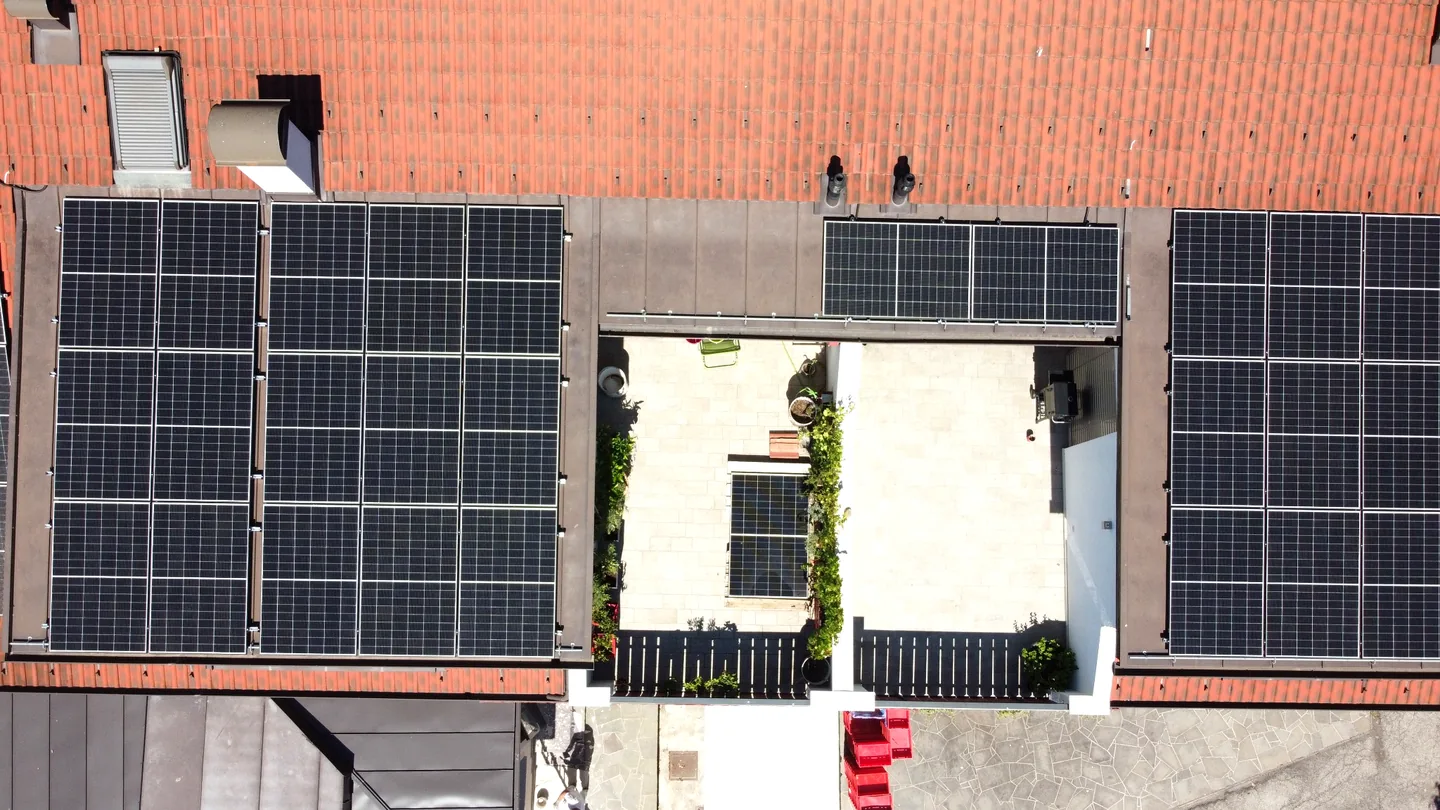
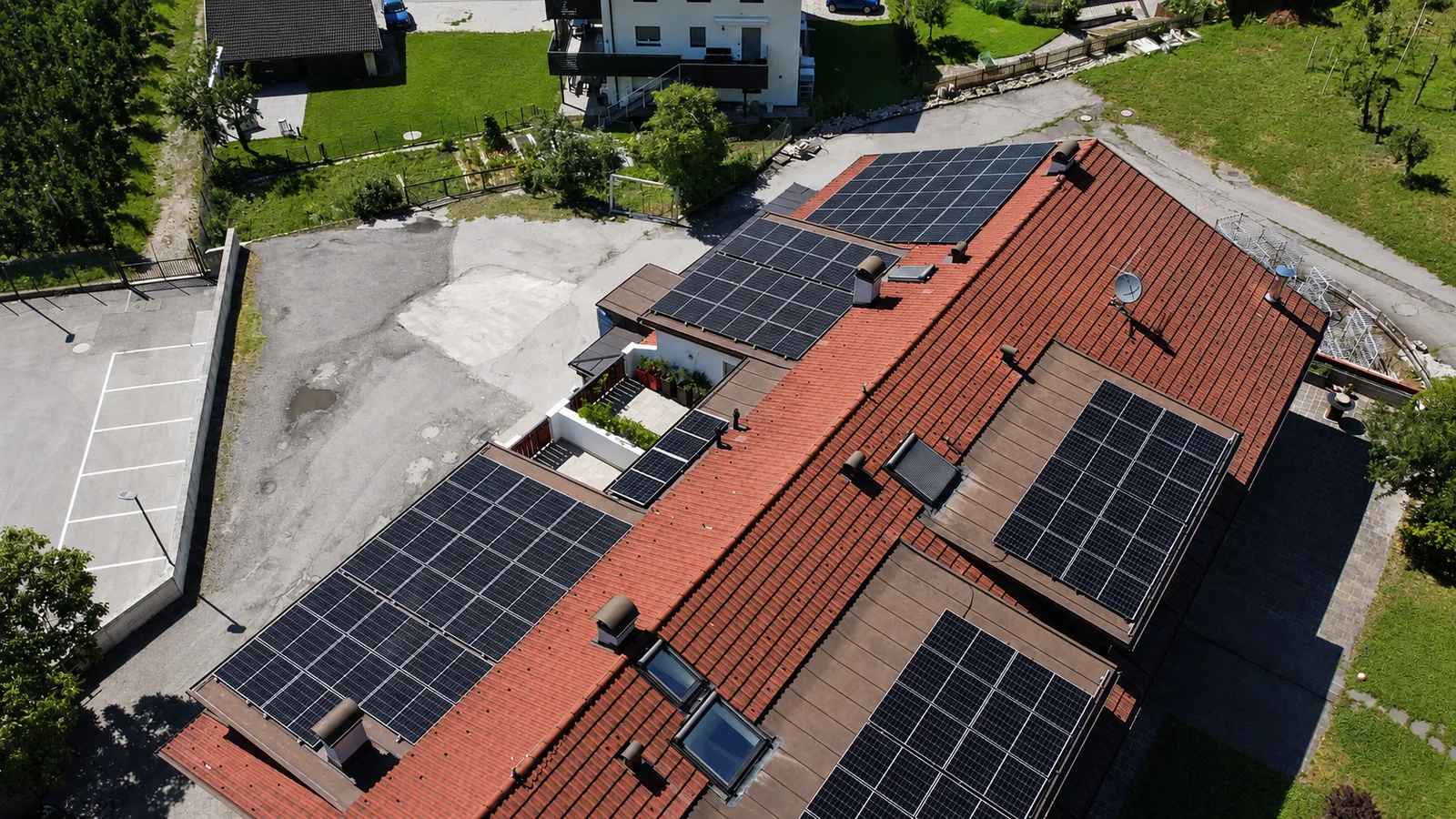
Vertical drone view of red roof surfaces with PV arrays on either side of a light-coloured opening or terrace
Photo 19Overhead view of a tiled roof with an openingLarge module arrays lie on red roof surfaces to the left and right of a light-coloured opening or terrace. Smaller arrays, roof windows and chimneys are also visible. The vertical view shows the array geometry particularly clearly and complements the oblique aerial photographs.
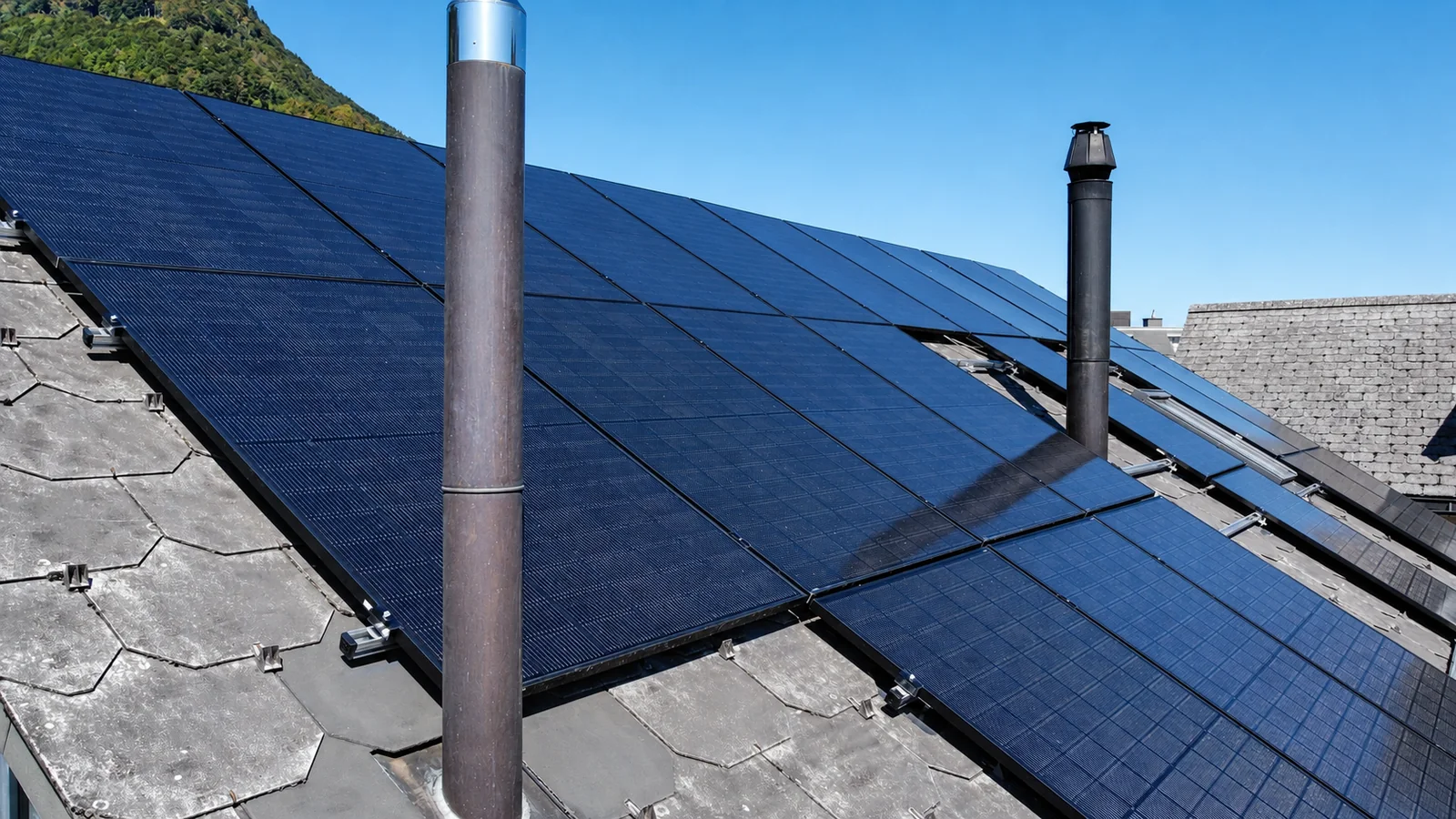
Close view of dark PV modules on a roof with grey covering and two tall flue pipes
Photo 03Dark modules between two flue pipesThe photograph shows dark modules on grey roof covering. Two tall flue pipes rise between or in front of the module arrays, and fixing points are visible at the edge. Features like these are considered when assessing the layout, clearances and possible shading.
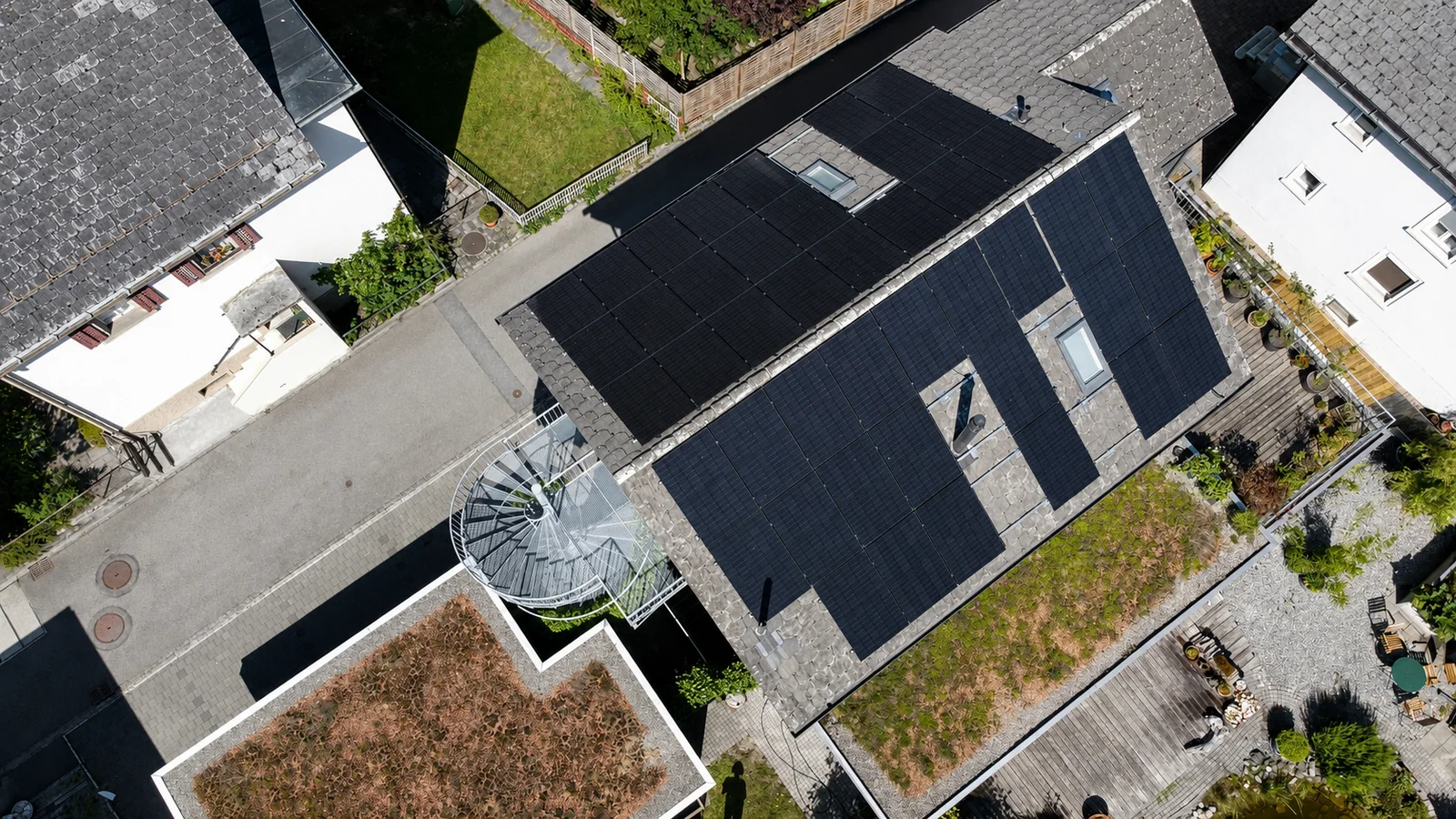
Vertical aerial view of a dark-covered roof with PV arrays, roof windows and a round staircase structure beside it
Photo 04Roof geometry and layout from aboveThe vertical viewpoint reveals the roof shape, module groups and gaps left around roof windows. Planted areas and a round staircase structure sit beside the building. The overhead view makes the available roof surfaces and interruptions from existing features easier to understand.
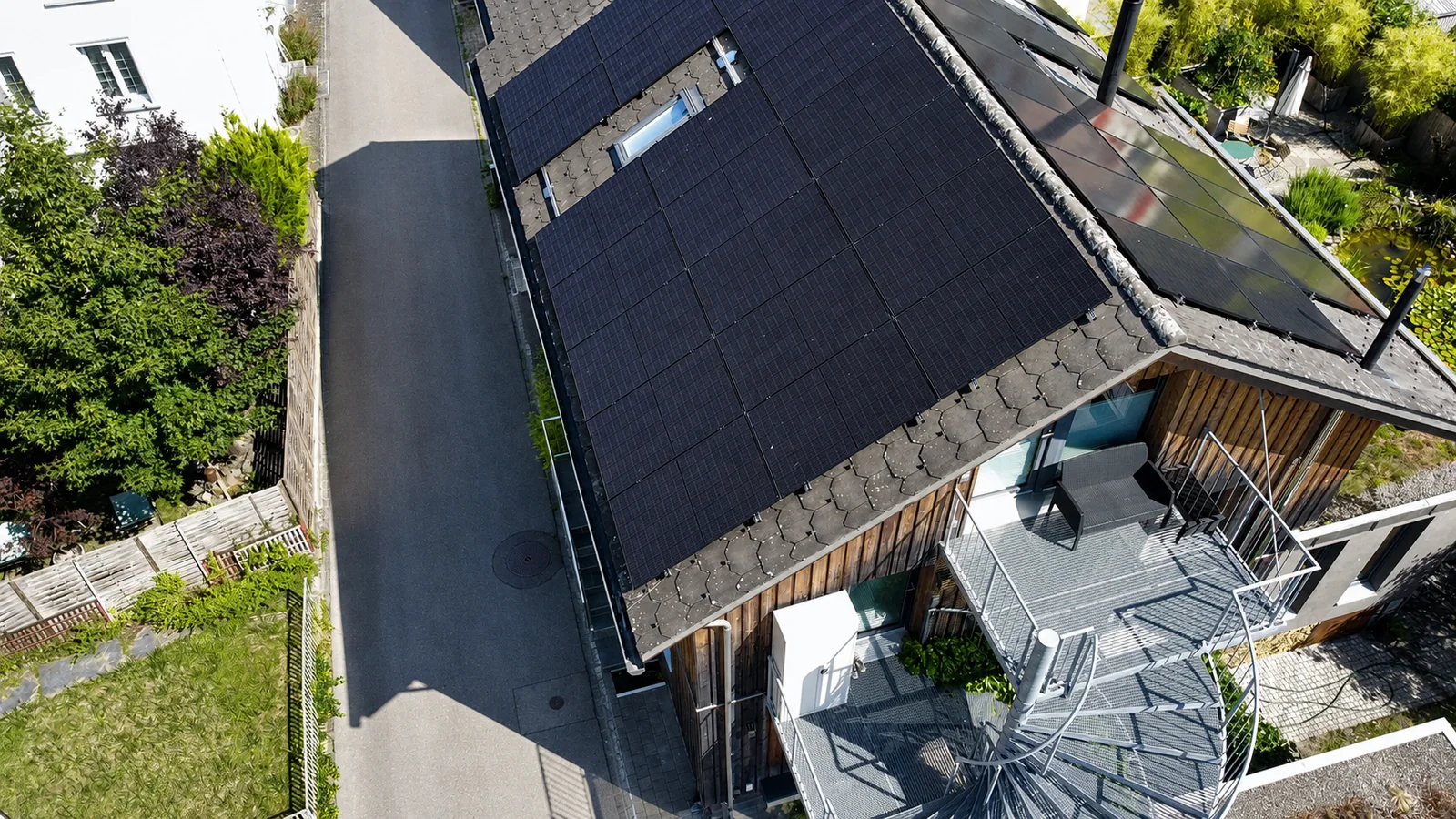
Oblique aerial view of a dark-covered roof with PV modules, an elongated roof window, timber facade and glazed extension
Photo 05PV arrays and an elongated roof windowThe oblique aerial photograph shows a large area of dark modules and an elongated glazed roof window. Timber cladding, a terrace and a glazed extension are visible on the building. This viewpoint complements the overhead view by showing the roof slope and how the module arrays fit into the existing architecture.
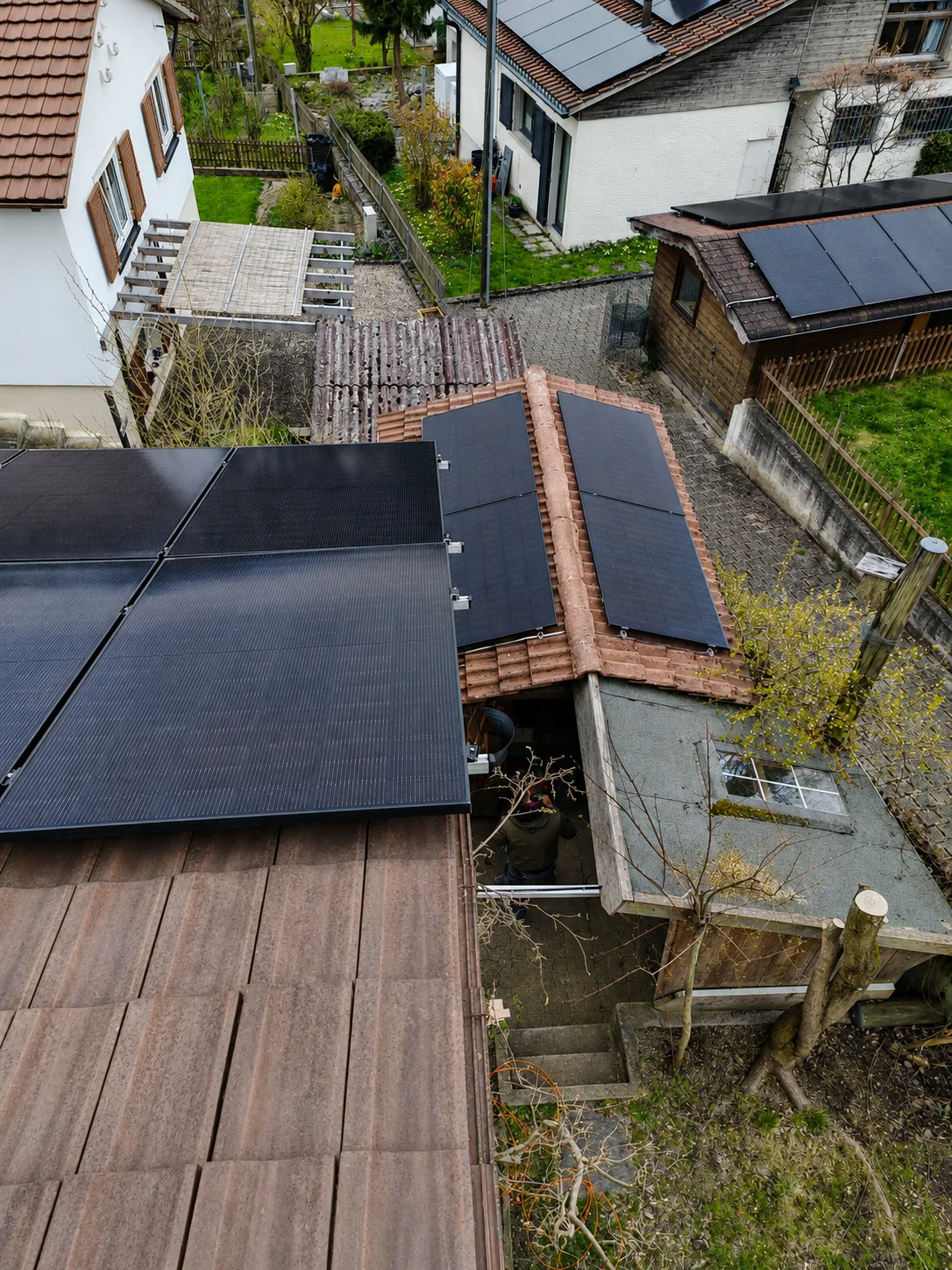
PV modules on a large dark roof, a smaller red roof and another outbuilding
Photo 15Module arrays across several roof sectionsThe photograph looks across module arrays of different sizes on several roof sections and buildings. Roof coverings, slopes and available surfaces vary. Planning for a setup like this includes assessing the layout, cable routes and electrical arrangement of the individual arrays.
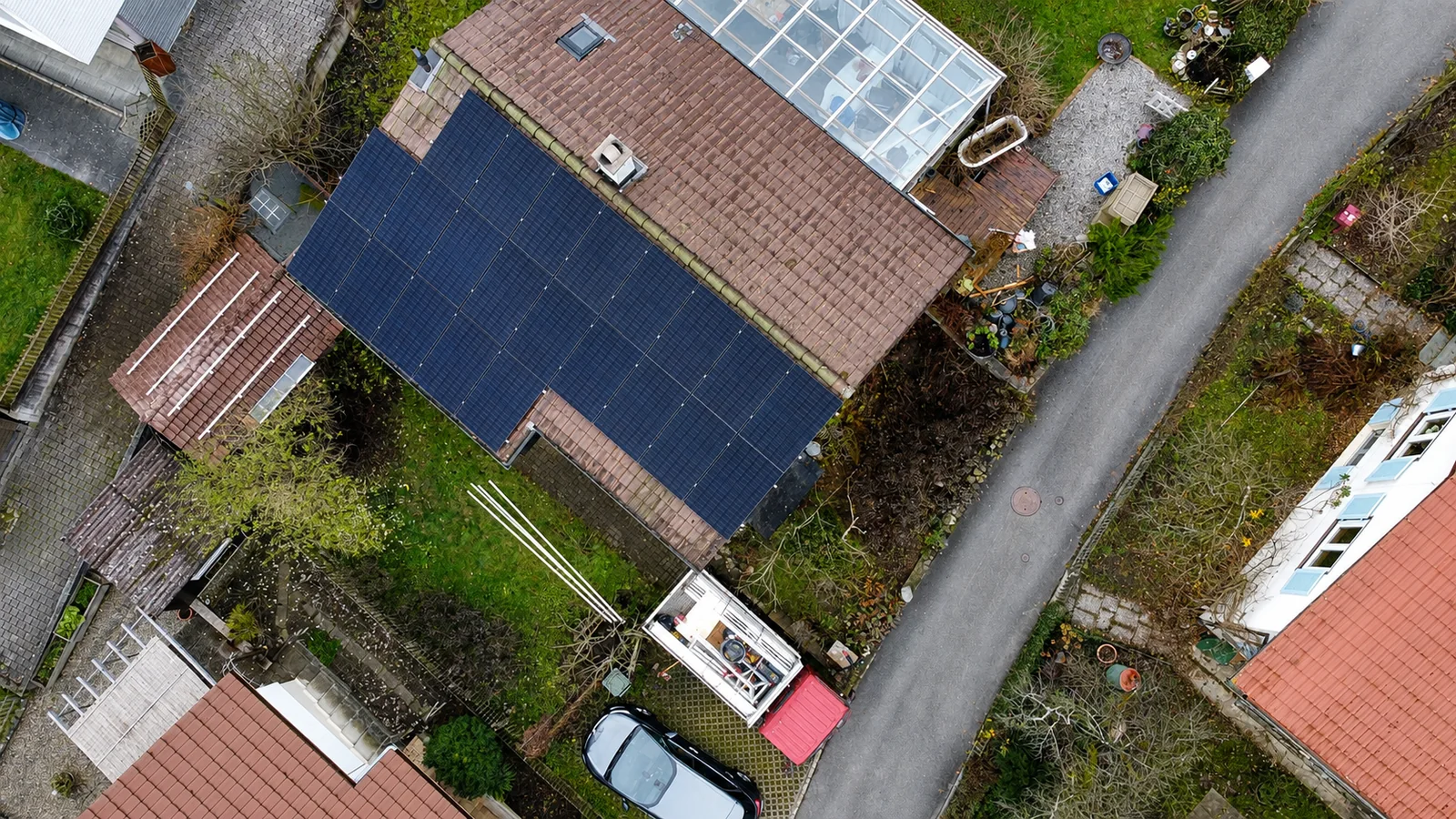
Vertical aerial view of a brown-covered residential roof with dark PV modules, roof windows and a glazed roof area
Photo 16Residential roof with PV and existing featuresThe aerial view reveals a brown-covered roof, a large area of dark modules, roof windows and a glazed roof area. The garden and neighbouring buildings provide spatial context. The photograph illustrates a PV layout on an existing residential roof with several different features.
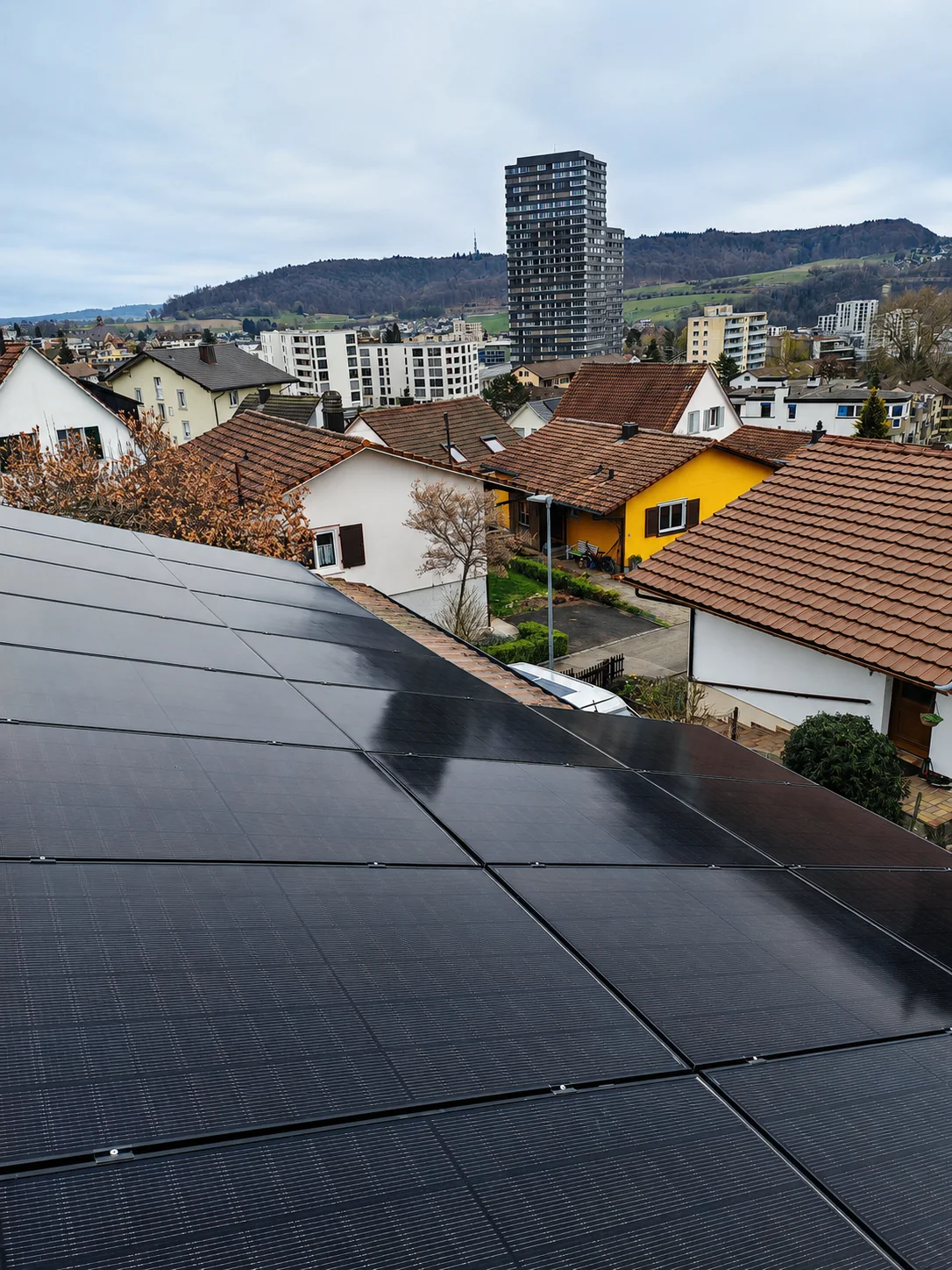
Dark PV modules in the foreground, with houses and a tall residential building in the background
Photo 14Rooftop modules in a built-up residential areaThe module array fills the lower part of the portrait photograph. Several residential buildings and a tall building are visible behind it. The photograph shows a rooftop installation in a built-up area and its position relative to neighbouring buildings.
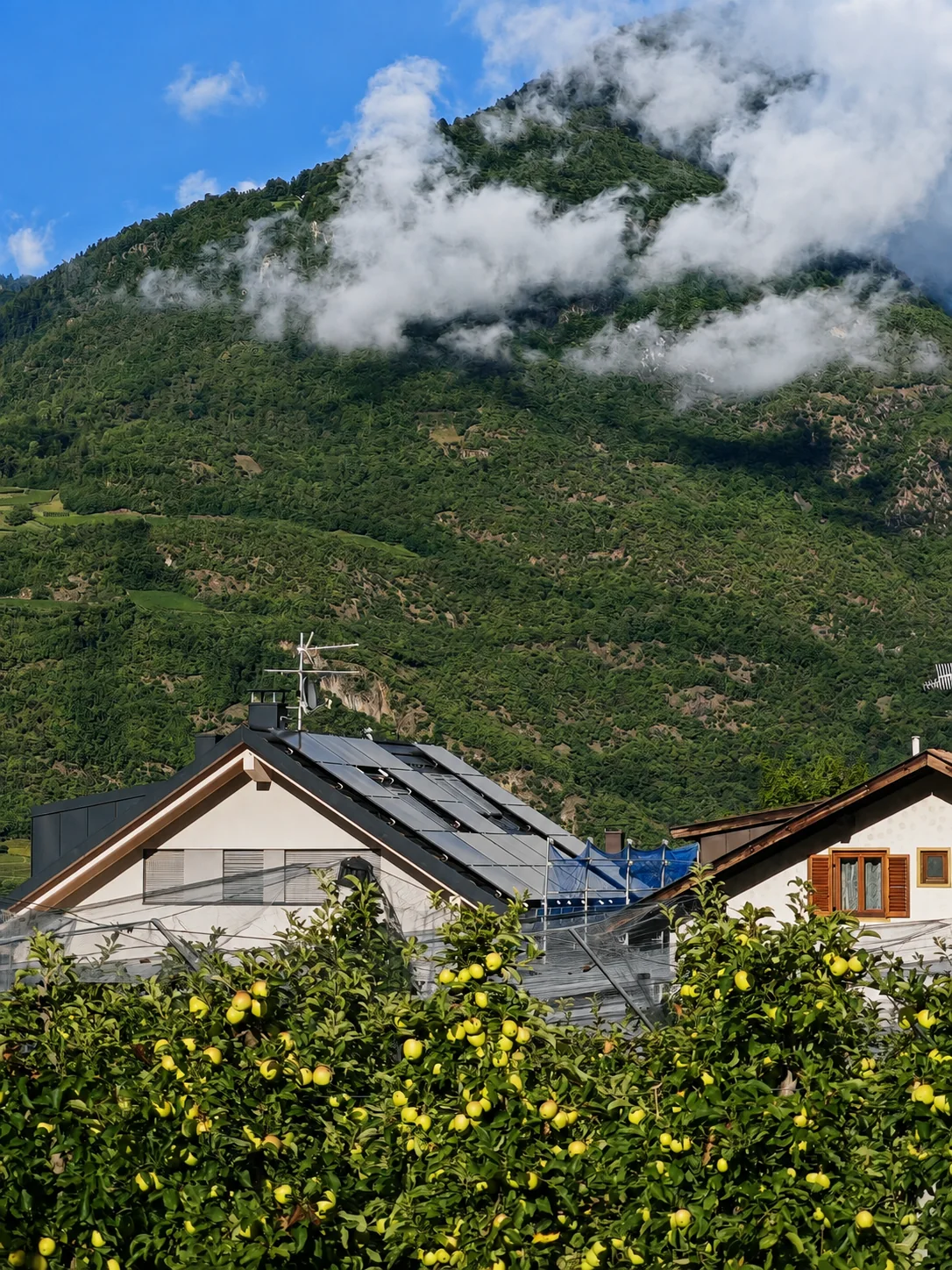
Residential building with dark PV modules on its pitched roof behind fruit trees, with wooded mountains and clouds in the background
Photo 08Rooftop PV between fruit trees and mountainsA residential building with dark modules on its pitched roof can be seen between fruit trees. Wooded mountain slopes and clouds form the background. The photograph shows how the rooftop system fits into the building and the surrounding landscape.

5 Photographs

Installation and mounting structures

Before the modules are installed, fixings and rails are selected to suit the roof shape. The photographs show installation stages, existing roof features and access arrangements. They explain which building details need to be considered during planning.

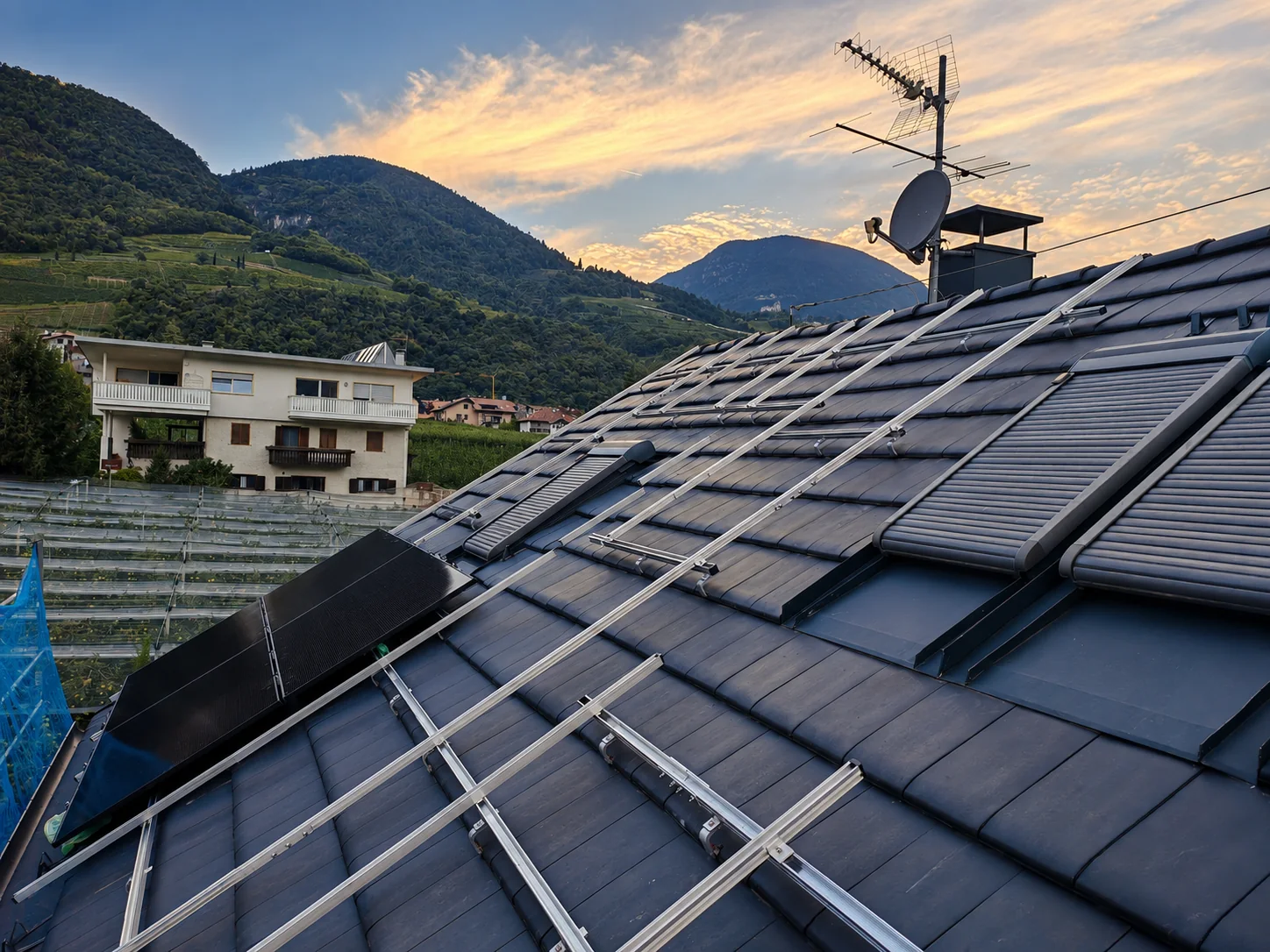
Metal PV mounting rails on a dark pitched roof beside existing collector panels, an aerial and a chimney in the evening light
Photo 06Mounting rails in the evening lightMetal rails run across the dark roof surface; PV module installation is not yet complete in this area. Existing collector panels, an aerial and a chimney remain visible. The photograph documents the mounting structure and its arrangement alongside equipment already on the roof.
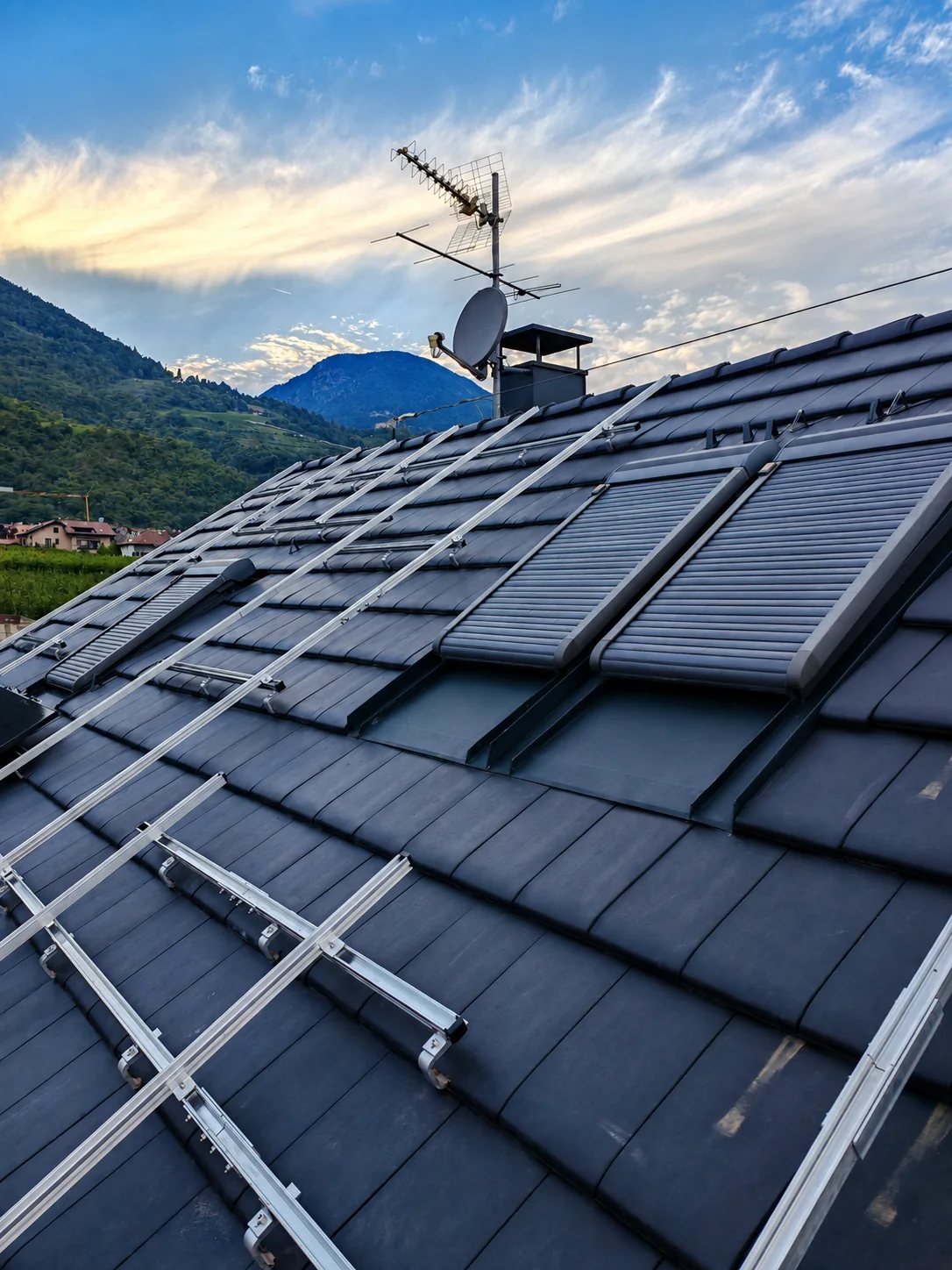
Portrait view of PV mounting rails on a pitched roof with existing collectors and aerials
Photo 07Mounting structure in a portrait viewThe portrait photograph shows the rail arrangement across a larger part of the roof slope. Existing collector panels and aerials are alongside it. Compared with the wider evening photograph, this view shows the course of the rails towards the eaves more clearly.
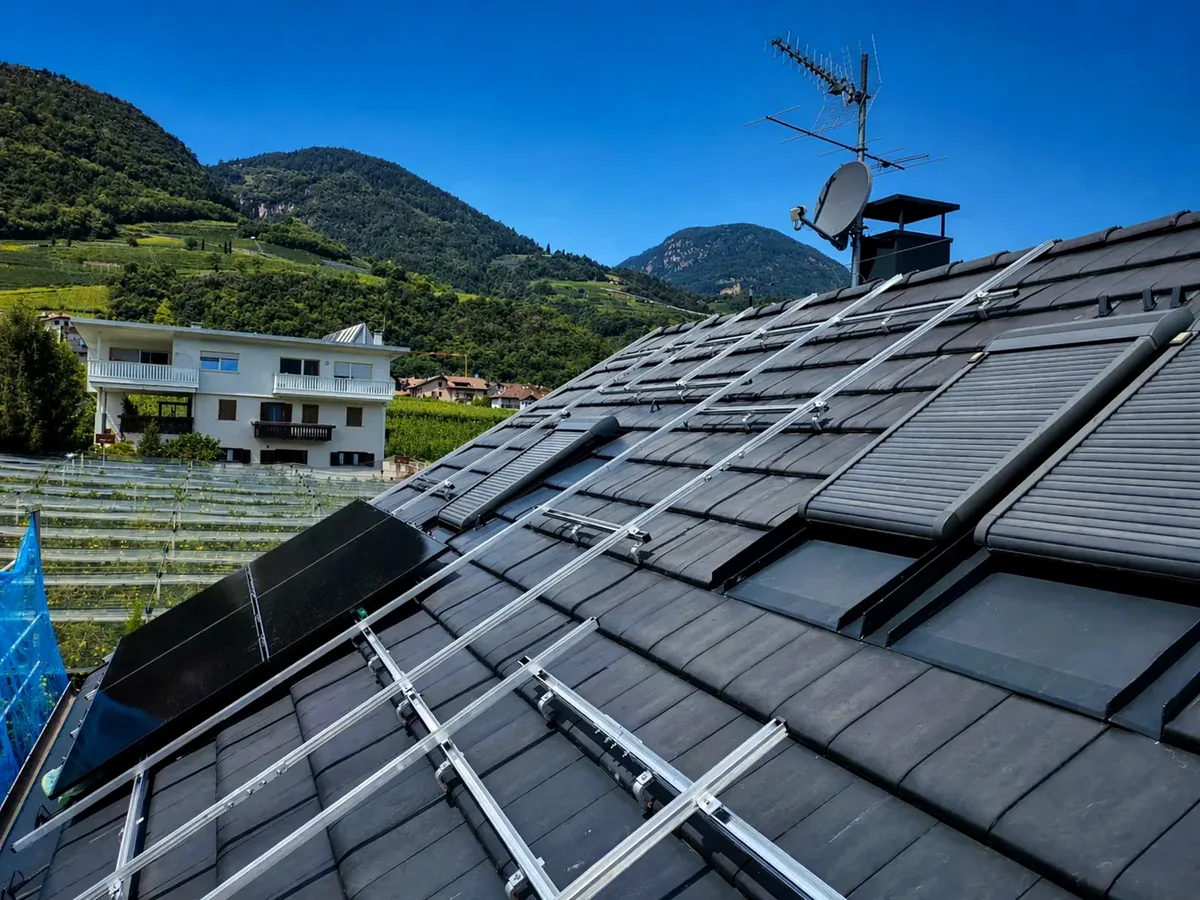
PV mounting rails on a dark pitched roof beside existing collectors and an aerial under a blue sky
Photo 23Mounting structure in daylightThe daylight photograph shows metal rails on a dark pitched roof. Existing collector panels lie alongside them, with an aerial and chimney visible above. It complements the evening and portrait views of the mounting structure by showing it in different light.
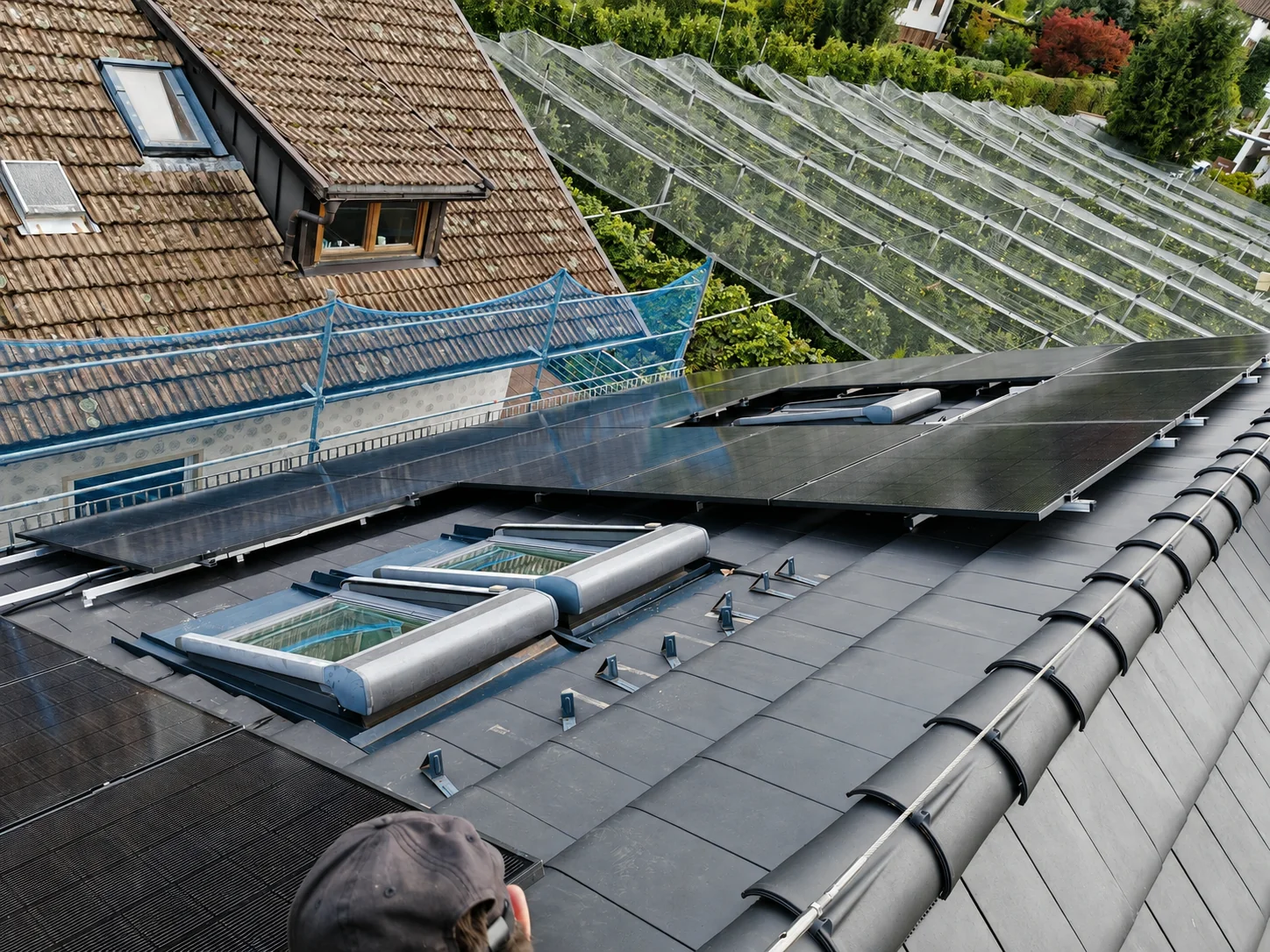
PV modules and exposed mounting rails around roof windows on a pitched roof, with scaffolding and greenhouses beside it
Photo 09Installing modules around roof windowsModules already in place and exposed fixing points show an intermediate stage of installation. Two roof windows interrupt the roof surface, while scaffolding and greenhouses are visible nearby. The photograph illustrates how the module layout is coordinated with existing windows and access for the work.
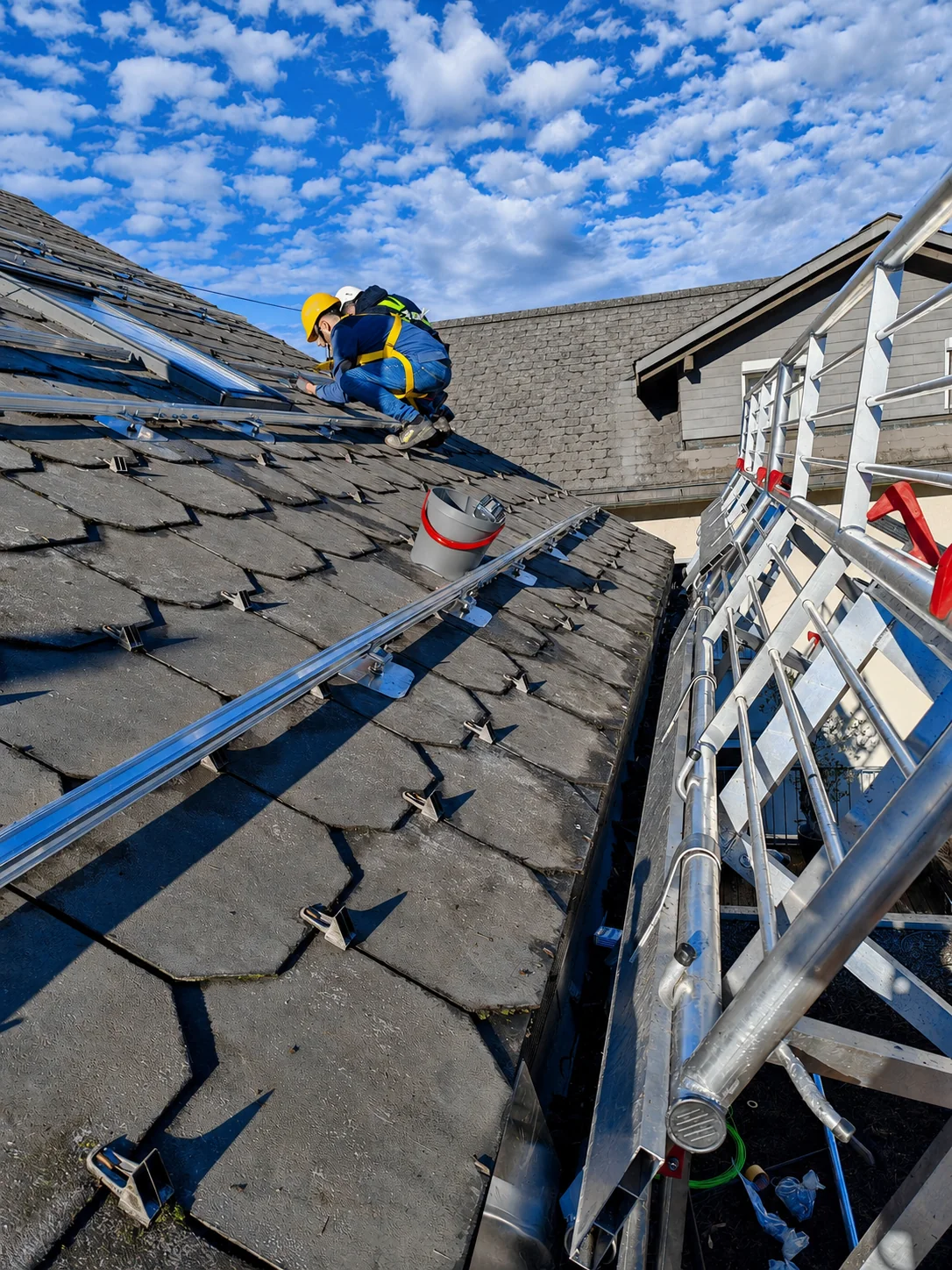
Installer with visible personal fall protection working on rails on a grey-covered roof, with scaffolding at the eaves
Photo 11Working on the roof mounting structureAn installer is working on the mounting structure on the sloping roof. Rails, individual fixings, visible personal fall protection and scaffolding at the eaves can be seen. The photograph documents a stage of the work before the roof is fully covered with modules.

4 Photographs

Battery storage and inverters

The equipment-room photographs show modular batteries, inverters and electrical connections. A project involves coordinating these devices, metering and protection equipment. Capacity and backup-power options are assessed from the specific equipment and electricity consumption.
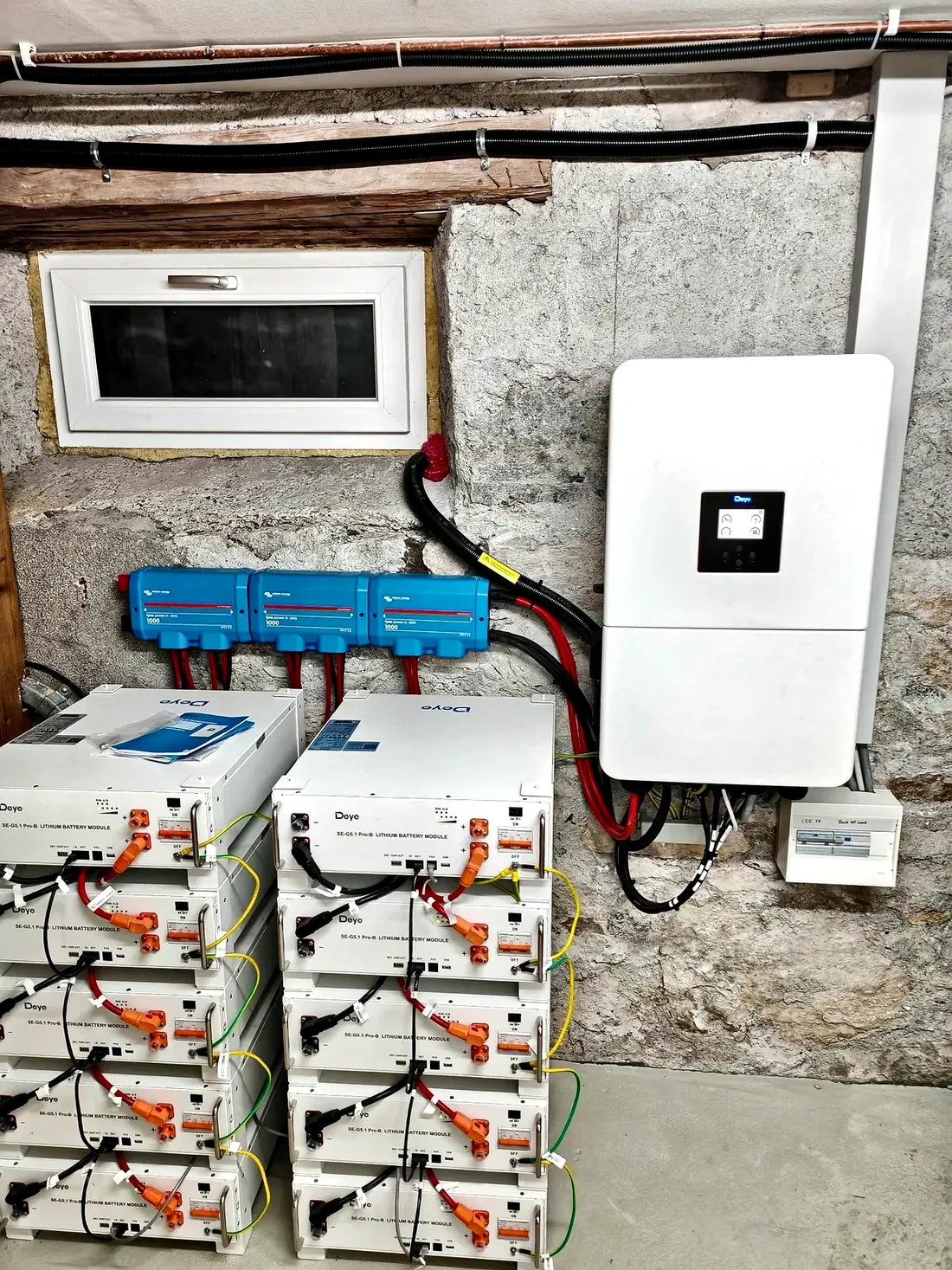
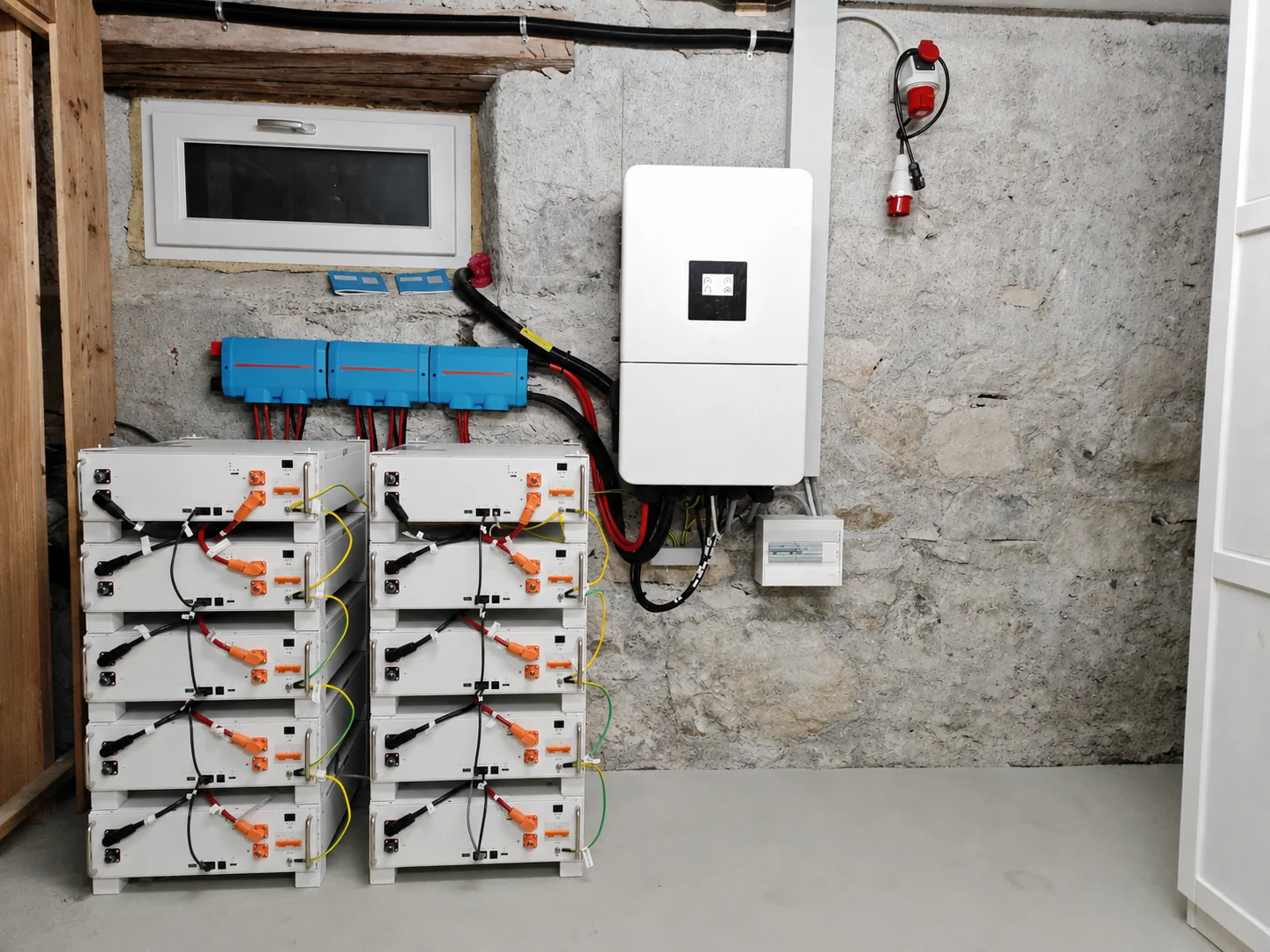
Two stacks of five battery modules each, blue distribution components and a white inverter beneath a basement window
Photo 12Two battery stacks with ten modules in totalTwo battery stacks, each with five modules, stand beside a white inverter. Blue distribution components and a small window are visible above, and coloured cables connect the devices. The overall view explains the modular structure and the arrangement of the electrical components in the room.
Portrait side view of two battery stacks with an inverter, blue components and cables against a rough wall
Photo 20Storage installation from a second viewpointThe portrait photograph shows the storage installation from the side. Battery stacks, blue components, a white inverter and cable routes are visible from a different viewpoint. Together with the overall view, it helps explain how the space is used and the devices are arranged.
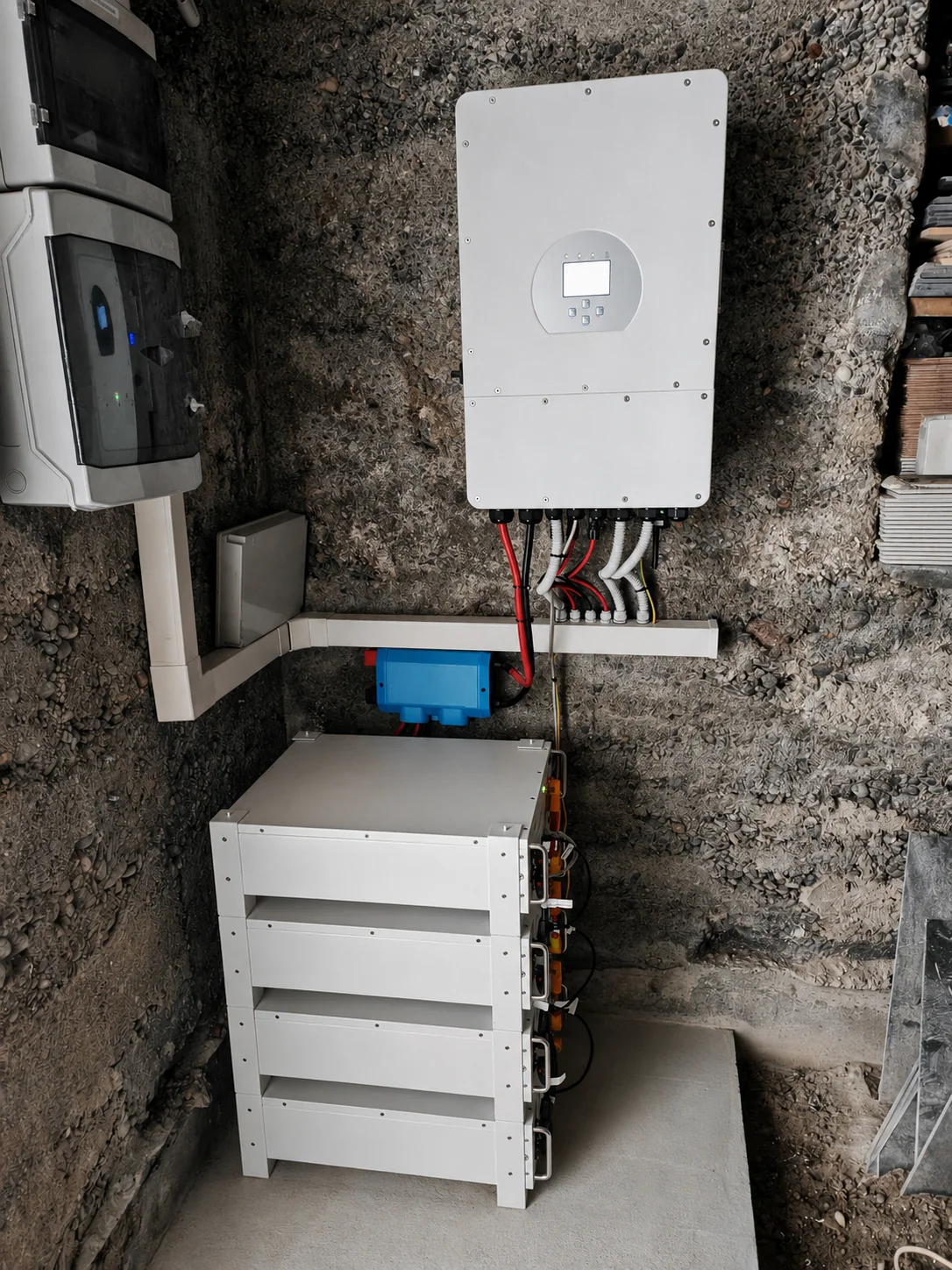
Four stacked battery modules beneath a white inverter on a rough stone wall in an equipment room
Photo 10Four battery modules in an equipment roomFour light-coloured battery modules stand beneath a wall-mounted inverter. Cables run along the side to the battery and distribution components, and the wall has a rough stone surface. The photograph shows the physical arrangement of a compact storage system. Its usable capacity cannot be determined from the photograph alone.
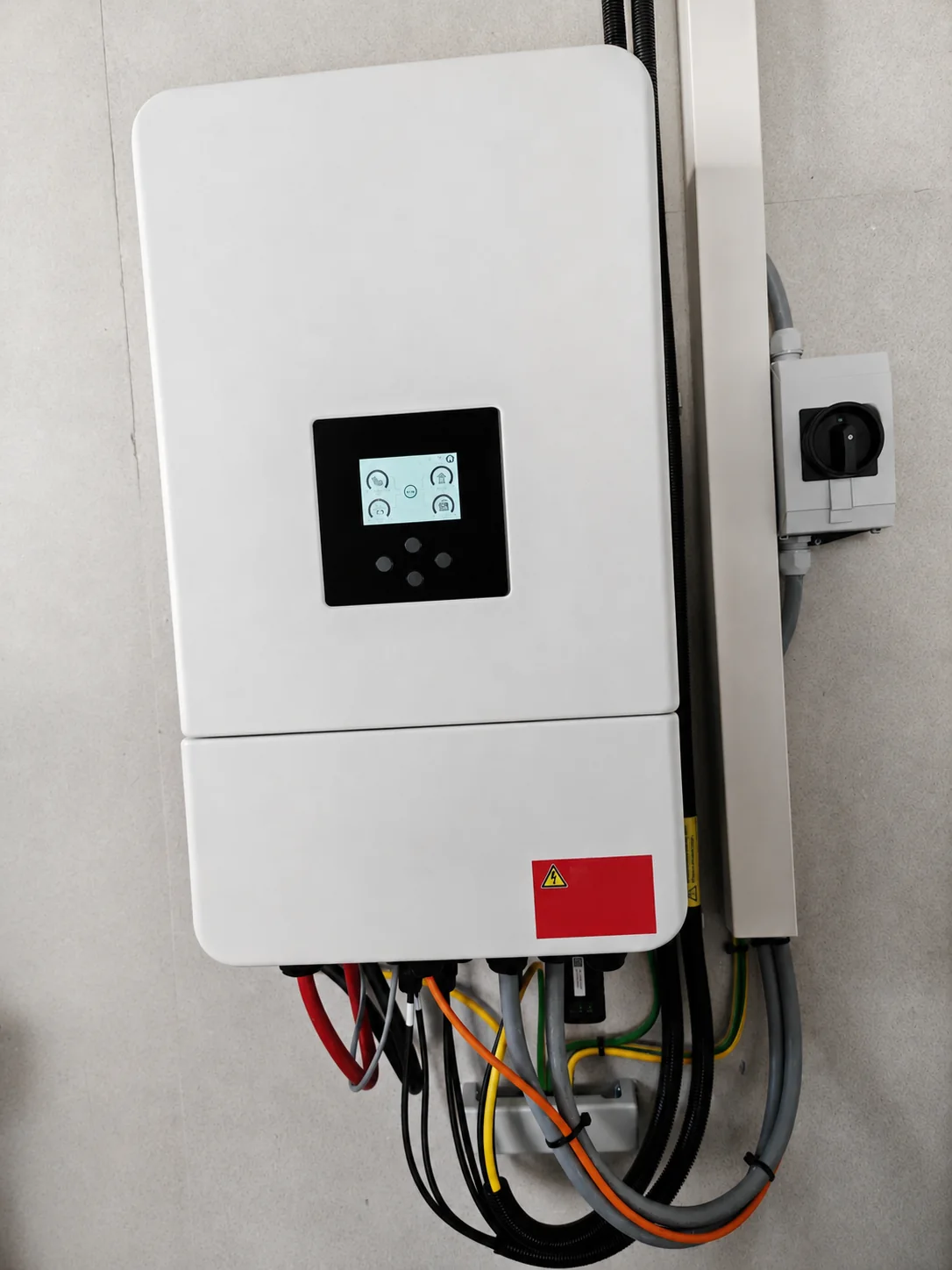
Close view of a white inverter with a black display, cables connected underneath and a switch enclosure at the side
Photo 13Inverter display and cable connectionsThe close-up shows a white inverter with a black display panel. Several cables are connected along the bottom of the casing, and a separate switch enclosure sits on the right. Equipment compatibility, cable routing and the necessary switching and protection functions are assessed together during project planning.

7 Photographs

Mining heat recovery and thermal images

The reference photographs show a setup for recovering heat from computing, with a storage tank, pipework and hydraulic components. The thermal images add views of individual temperatures. A project considers heat demand, temperature, operating hours, electrical connections and hydraulic integration together.

The temperatures shown are readings at individual measurement points. Thermal images alone do not establish a system’s heating output or efficiency; the surroundings, measurement conditions and operating state must also be considered.
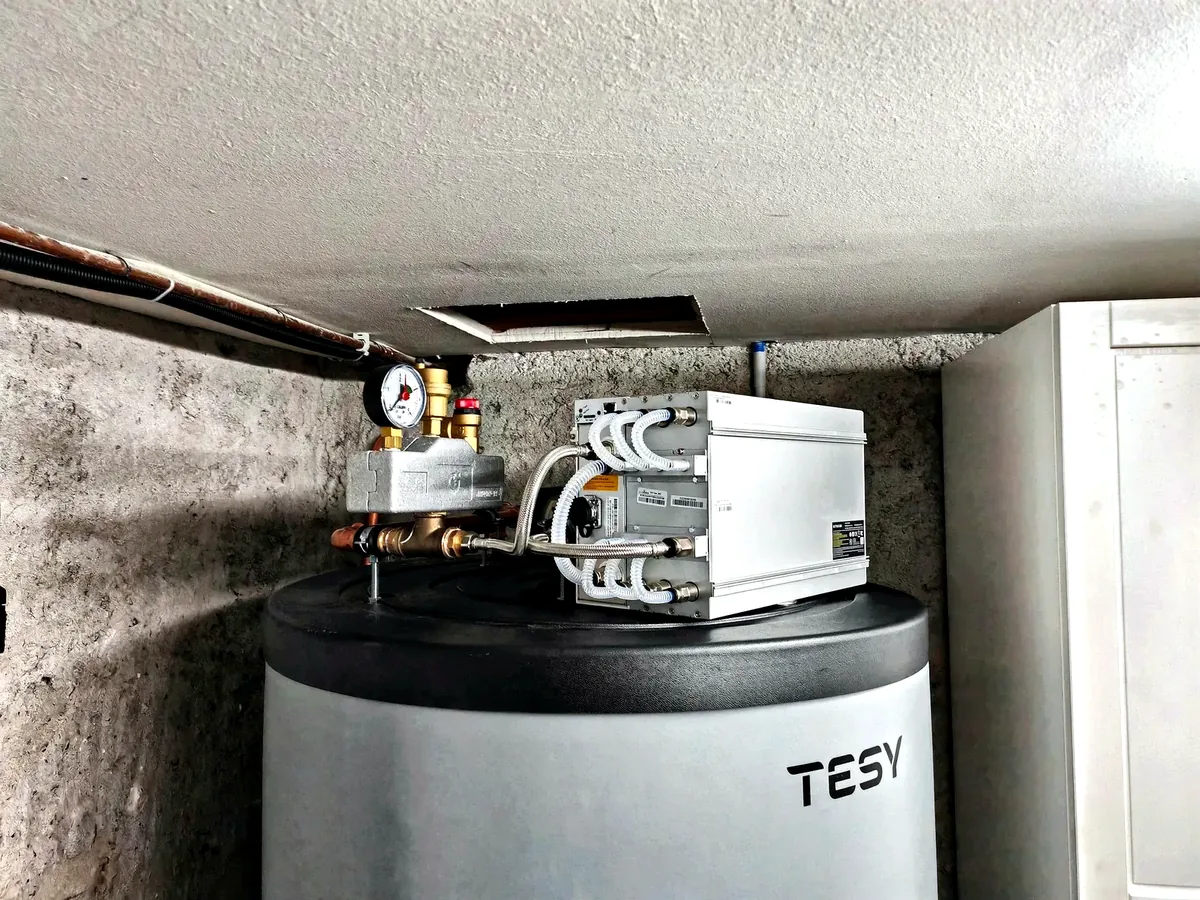
White technical unit with pipe connections above a round TESY storage tank in a small equipment room
Photo 21Setup for recovering heat from computingA white technical unit with several pipe connections is mounted above a round TESY storage tank. This existing reference documents a setup for recovering heat from mining. Suitable heat transfer, temperatures and an actual demand for heat are central to a project of this kind.
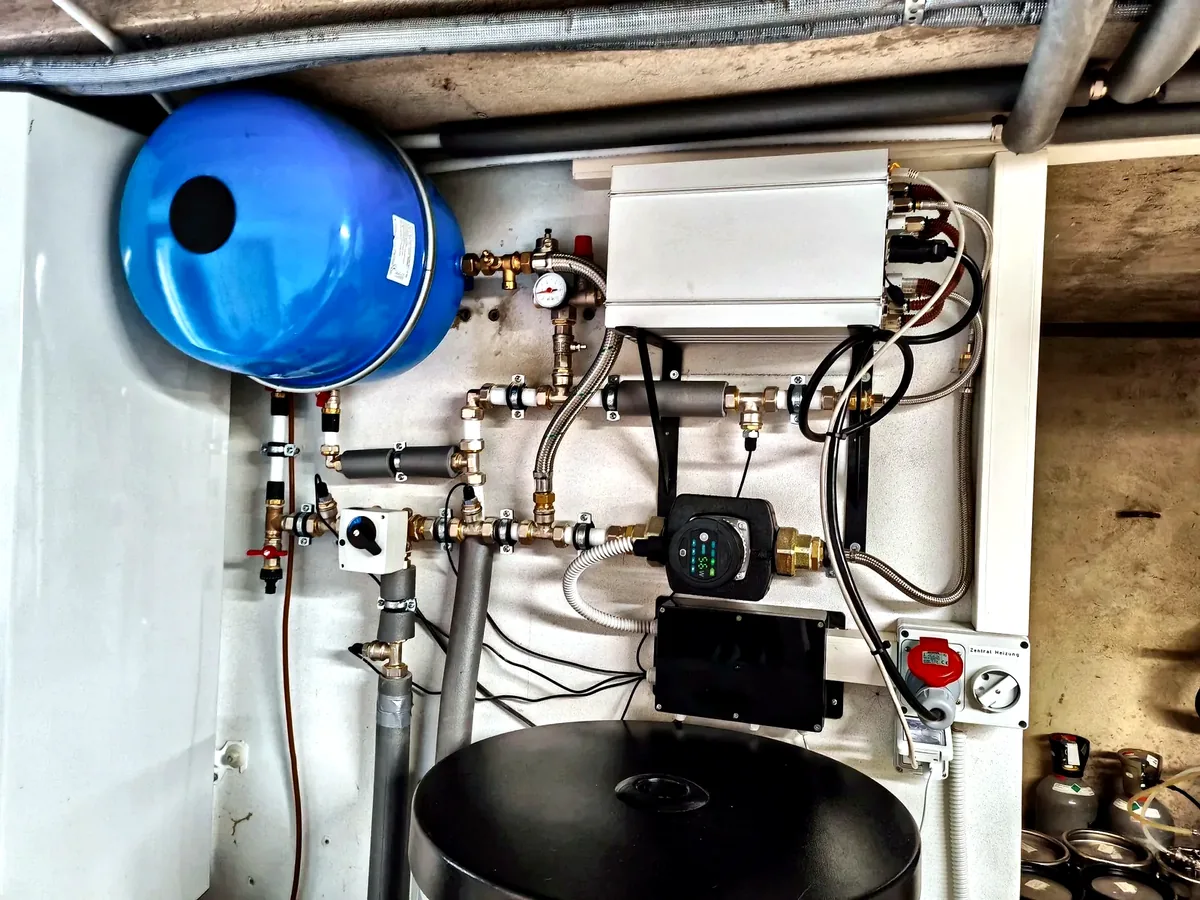
Equipment room with a blue expansion vessel, pipework, pressure gauge, circulation pump and white technical enclosure
Photo 22Hydraulic components and controlsA blue expansion vessel, pipework, a pressure gauge, a circulation pump and a white technical enclosure are visible. The photograph adds a view of the hydraulic components to the heat-recovery reference. Heat transport, pressure maintenance, controls and the removal of unwanted heat need to be coordinated for operation.
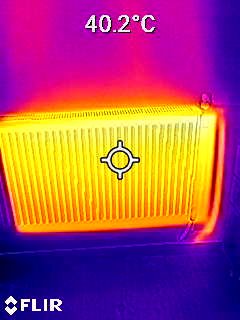
FLIR thermal image of a horizontal radiator with a marked measurement point and a displayed temperature of 40.2 degrees Celsius
Photo 24Thermal image of a radiator: 40.2 °CThe thermal image shows a horizontal radiator whose surface appears mainly yellow to orange. The marked measurement point displays 40.2 °C. This individual surface reading describes that moment and cannot be used to calculate the heating output.
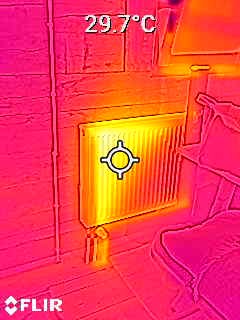
FLIR thermal image of a radiator beneath a window with a displayed measurement-point temperature of 29.7 degrees Celsius
Photo 26Radiator beneath a window: 29.7 °CA radiator beneath a window can be seen in the thermal view. The measurement point on the heating surface shows 29.7 °C; the colour scale represents temperature differences between the radiator, wall and window area.
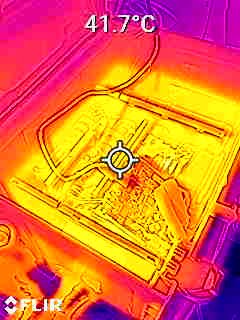
FLIR thermal image of an open technical unit with visible internal components and a marked measurement point at 41.7 degrees Celsius
Photo 25Open technical unit: 41.7 °CThe thermal image shows an open technical unit with recognisable internal components. The marked point is labelled 41.7 °C. The photograph documents a temperature distribution around the unit; the image alone establishes neither its output nor the amount of usable heat.
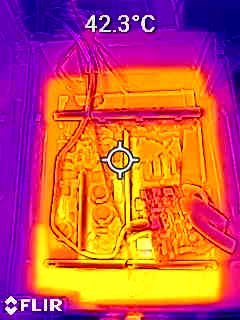
FLIR thermal image of an open technical setup from another viewpoint, with a marked measurement point at 42.3 degrees Celsius
Photo 27Internal technical components: 42.3 °CThe photograph shows internal technical components from another viewpoint. A marked point is labelled 42.3 °C. It shows a surface temperature at a particular moment; assessing heat recovery requires additional operating and measurement data.
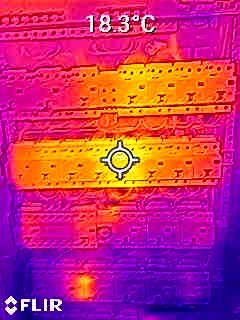
FLIR thermal image of several horizontally arranged technical assemblies with a marked measurement point at 18.3 degrees Celsius
Photo 28Technical assemblies in a thermal image: 18.3 °CSeveral horizontally arranged technical assemblies can be seen in the thermal image. The marked measurement point shows 18.3 °C. The exact function of the equipment cannot be reliably determined from this photograph, so the description is based on the visible structure and displayed reading.

Your project in Merano and South Tyrol

Which solution suits your building?

Tell us your location, existing equipment and goal. We will discuss the next steps with you.